Run aerodynamic analysis on your own Mac.
DragAero is a computational fluid dynamics (CFD) application written for macOS. Open a geometry, enter the speed and run; you see the result in minutes. No server, no cluster, no separate specialist.
You get a result in three steps, without a manual.
- 01
Open an STL
Drag in a closed-surface (watertight) STL, or pick one of the bundled samples.
- 02
Set the flow
Enter velocity, density and angle of attack. Every field shows its unit.
- 03
Run
The program builds the mesh, solves the flow and shows the result on screen.
This is what you see while the analysis runs.
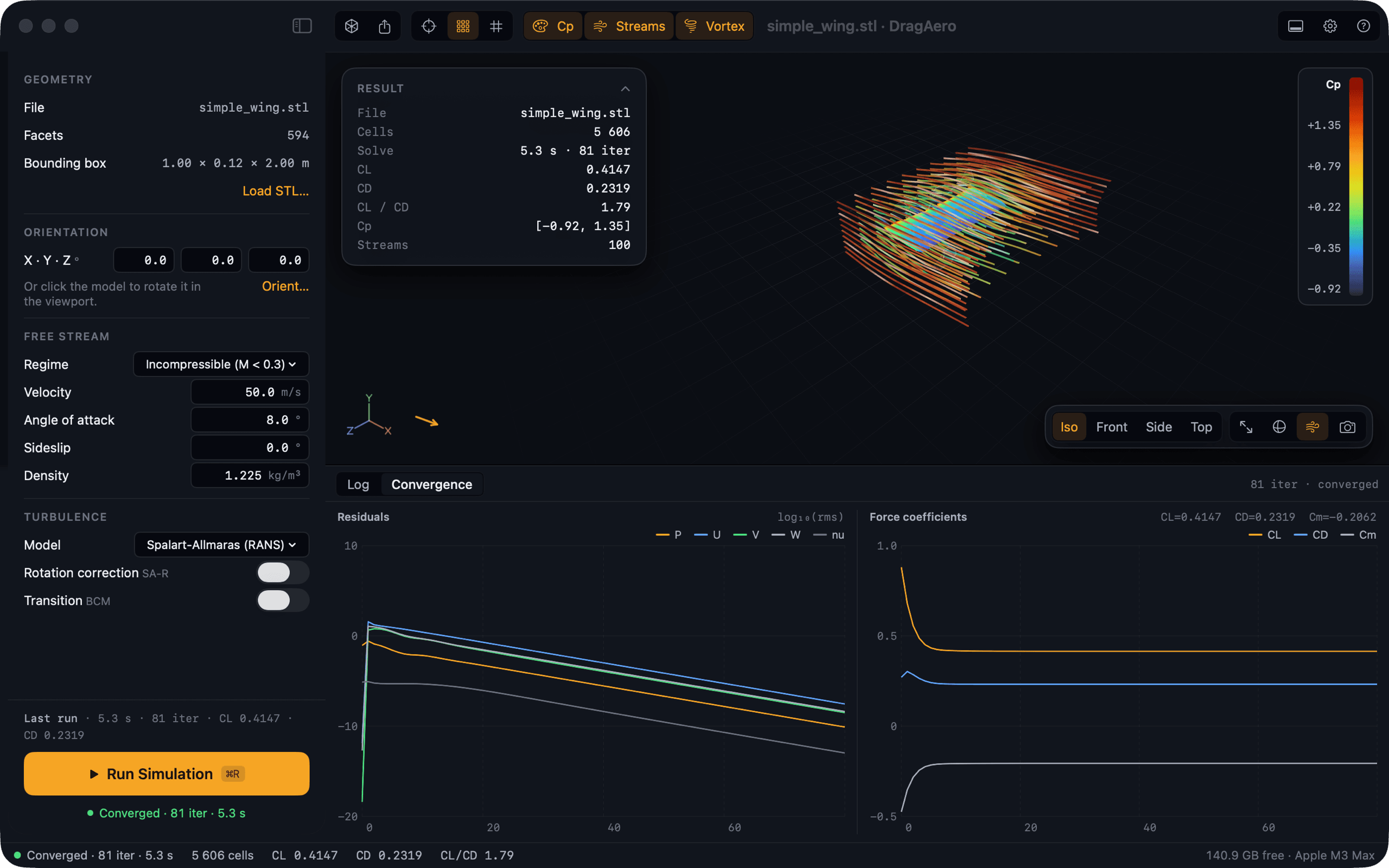
The results read at a glance.
A pressure-coefficient map on the surface, streamlines past the body, and lift, drag and their ratio (CL, CD, CL/CD) in the corner of the view.
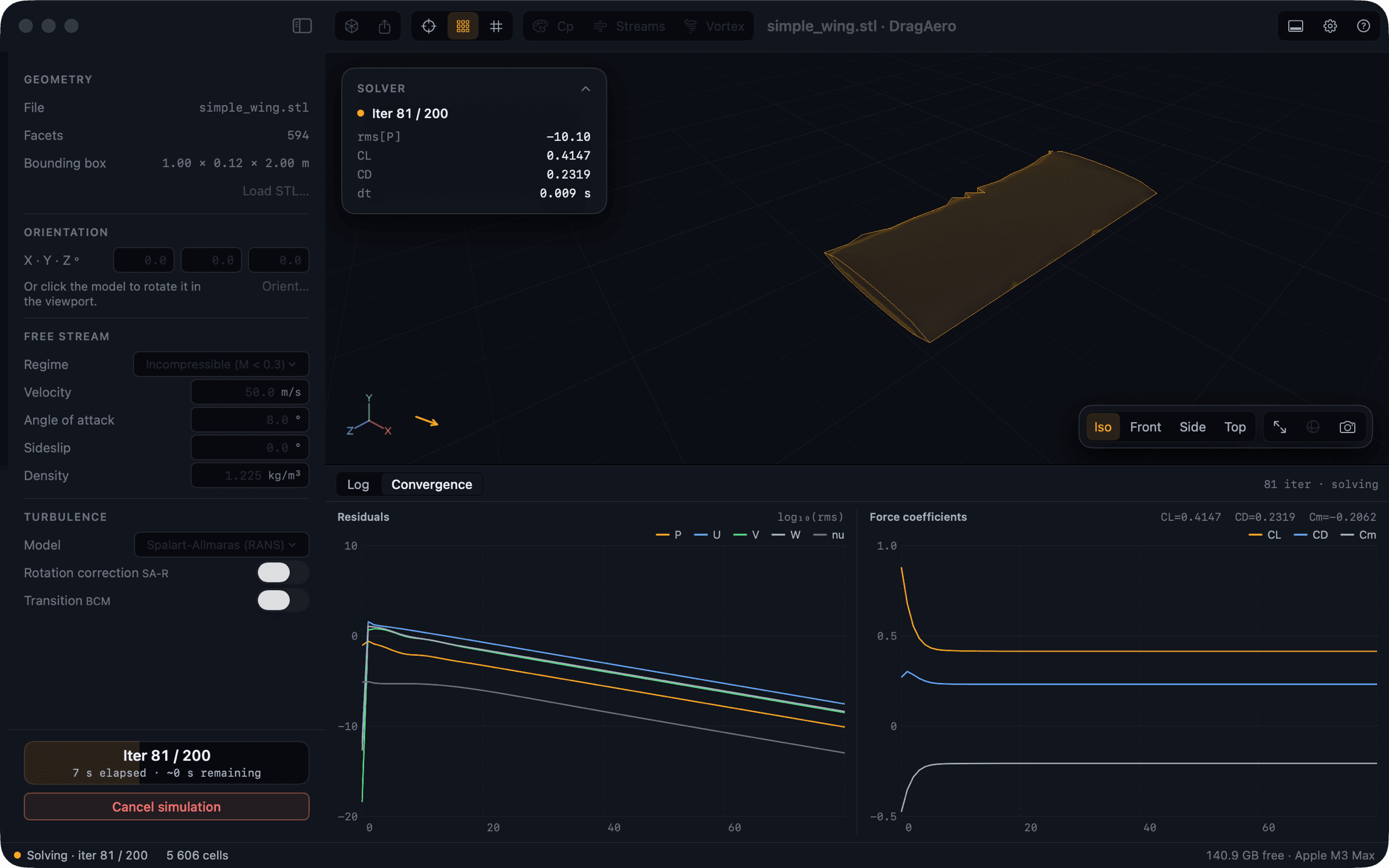
You follow the solver while it works.
Convergence values (residuals: how far each iteration is from a settled answer) and the force coefficients update live while SU2 runs. The log shows the solver's own output, so you always know the iteration, the elapsed time and the estimate.
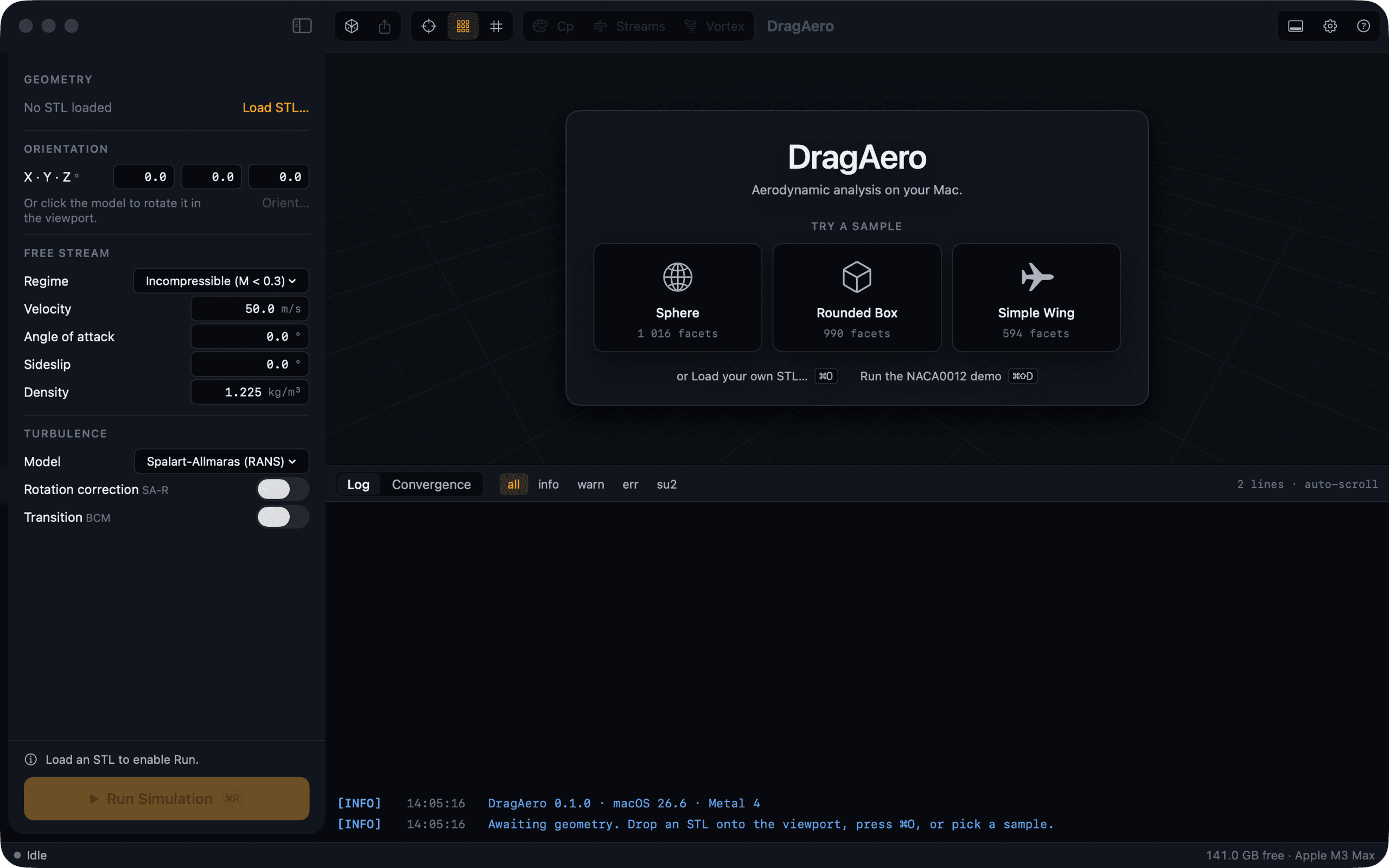
Your first run takes a minute.
Three sample geometries and a NACA 0012 demo case come with the app. You do not need your own CAD file to see the whole process work.
A real solver does the work underneath.
The interface is written for the Mac in SwiftUI and Metal. The calculation is done by SU2, an open-source solver, compiled natively for Apple Silicon.
The right turbulence model
Spalart-Allmaras or k-ω SST, incompressible or compressible flow, with SA rotation and transition variants. You choose the one that fits the job.
The program builds the mesh
gmsh generates the volume mesh around the body by itself. Mesh size and the y⁺ value are written to the log on every run.
Watch the calculation live
Convergence values (residuals) and the lift, drag and moment coefficients update while the calculation runs. Pressure map, streamlines and mesh are drawn with Apple Metal, and the camera behaves like your CAD program.
Clear warnings
If y⁺ is out of range, the log says what that means for the drag figure and what to change, instead of letting you trust a bad answer.
A design-stage tool
Built to compare variants in minutes. For certification-grade results you still run a validated code; DragAero tells you which variant is worth it.
Download DragAero, open it and enter your beta key.
DragAero comes as one app. The solver (SU2) and the mesher (gmsh) are inside it, so there is nothing else to install.
macOS 14 or later · Apple Silicon (M1 or newer)
- Version
- 0.2.1
- Released
- 25 September 2026
- Size
- 23.1 MB
- SHA-256
5c03c7c1814c…31846d925c03c7c1814cc2403f6f333612dde191120d90a258a16c90b5d7e32531846d92To check the file, run this in Terminal and compare:
shasum -a 256 ~/Downloads/DragAero-0.2.1.dmg
- 01Download the disk image and drag DragAero into Applications.
- 02Open DragAero. The first time, macOS asks you to confirm.
- 03Enter your e-mail and beta key. If you do not have a key yet, get one below.
macOS asks once, the first time you open DragAero.
DragAero is not notarized by Apple yet, so macOS stops the first launch and asks. Right-click DragAero in Applications, choose Open, then Open again. If there is no Open button, go to System Settings, Privacy & Security, and click Open Anyway. You do this once: updates install themselves after that, and macOS does not ask again.
DragAero is free during the beta, with a key.
DragAero is in pre-release. Enter your e-mail and the key appears on screen at once, with a copy in your inbox. Use it free until the paid 1.0 ships; beta keys stop working at release, and beta users hear about pricing first.
- 01Enter your e-mail below
- 02Copy the key, or take it from your inbox
- 03Enter the key when DragAero opens, and use it free until 1.0
DragAero is closed source. It uses SU2 under the LGPL and gmsh under the GPL, as separate programs with their own licences.
Requirements
- macOS
- 14 or later
- Chip
- Apple Silicon (M1 or later)
- Input
- Watertight STL, binary or ASCII
- Price
- Free during beta
Questions people ask before they try it.
- Which Macs does DragAero run on?
- Any Mac with Apple Silicon (M1 or later) running macOS 14 or later. Intel Macs are not supported.
- Is DragAero a replacement for full CFD?
- No. It is a design-stage tool for comparing variants quickly. For certification-grade results you still run a validated CFD package.
- Is it really free?
- Yes, during the beta. You receive a key by e-mail. Beta keys stop working when the paid 1.0 ships, and beta users hear about pricing first.
- What geometry can I load?
- Watertight STL files (binary or ASCII) today, plus three bundled samples and a NACA 0012 demo case. STEP and IGES import through Open CASCADE is on the roadmap.
- Do I need to install anything else?
- No. The solver (SU2) and the mesher (gmsh) are inside the app. You do not need Homebrew, Python or any other program.
- Why does macOS ask before DragAero opens the first time?
- DragAero is not notarized by Apple yet. Right-click the app and choose Open, or click Open Anyway in System Settings, Privacy & Security. macOS asks only once; updates install themselves after that.